🔒 One-time purchase, forever · No subscription

Beyond recording —
read your day

VoiceCam captures your day and your calls, then turns recordings into text and pulls out what matters. It even analyzes sleep and emergencies on its own, and backs everything up safely to your own Google Drive or external storage.

No subscription · No ads No developer servers On-device analysis 7 languages
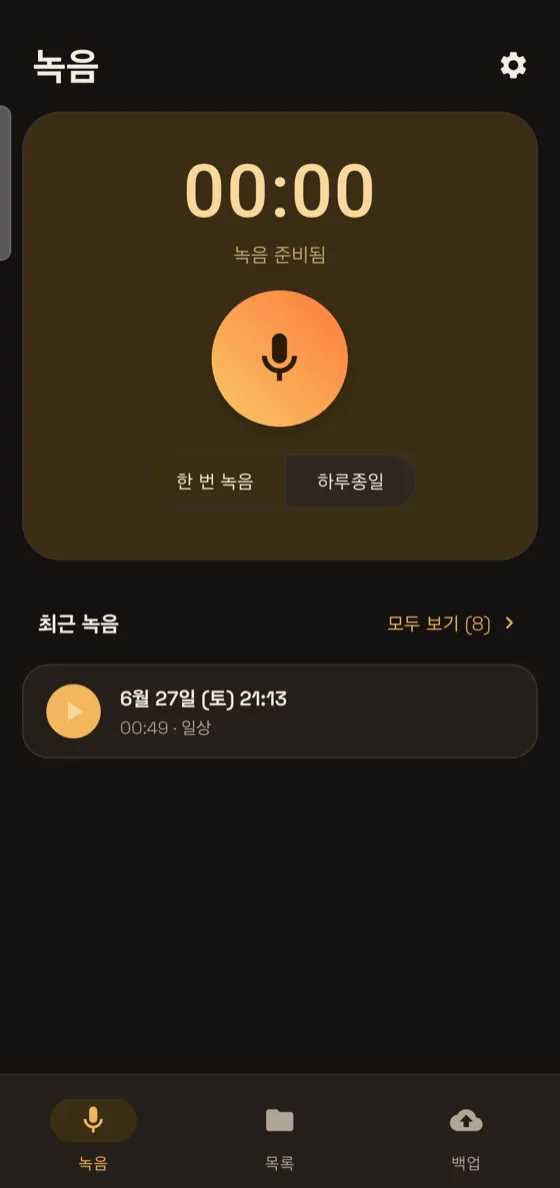
Recording screen
Recordings turned into organized text
Sleep analysis
Why VoiceCam
That moment never comes back

The promise made on an important call, the conclusion of a forgotten meeting, the breath that quietly stops every night, and the dangerous moment you face alone. VoiceCam records, organizes, analyzes, and protects — with no subscription fees and no cloud costs.
✨ AI Meeting Notes · automatic transcription

When the recording stops,
your meeting notes are ready

No device, no subscription. All on your phone.

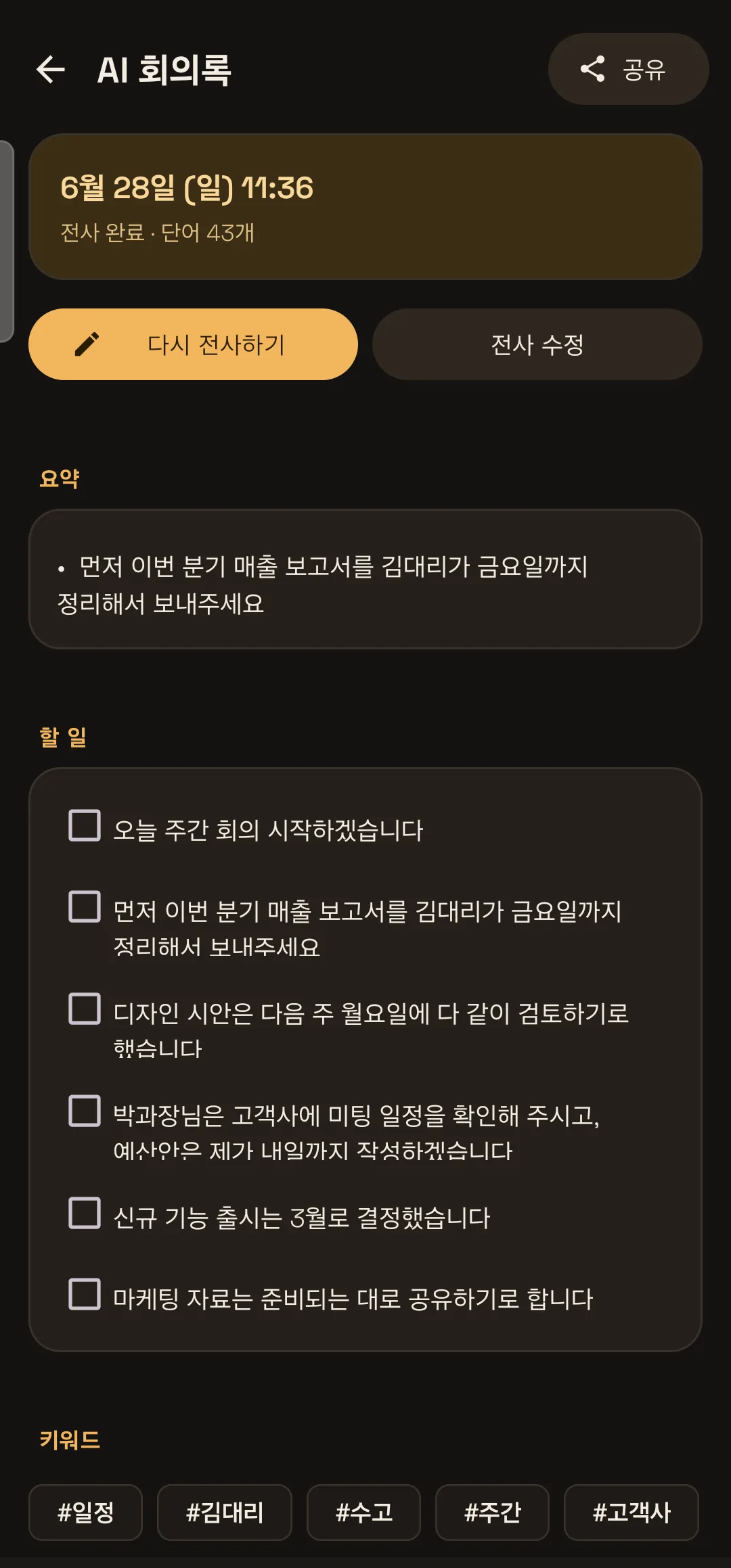
Record a meeting, lecture, or call and VoiceCam turns it into text, then automatically pulls together a key summary, your to-dos, and keywords. All of this happens right on your phone, for free.

  • Automatic speech-to-text (in Korean and many other languages)
  • Key summary · to-dos · keywords organized automatically
  • All processing happens on your phone, free · no subscription
  • Send your notes straight to email or messengers
AI Meeting Notes — automatic transcription, summary, and to-dos
🎙 All-day continuous recording

Just leave it on,
and it runs all day

It keeps going even with the screen off, even in your bag.

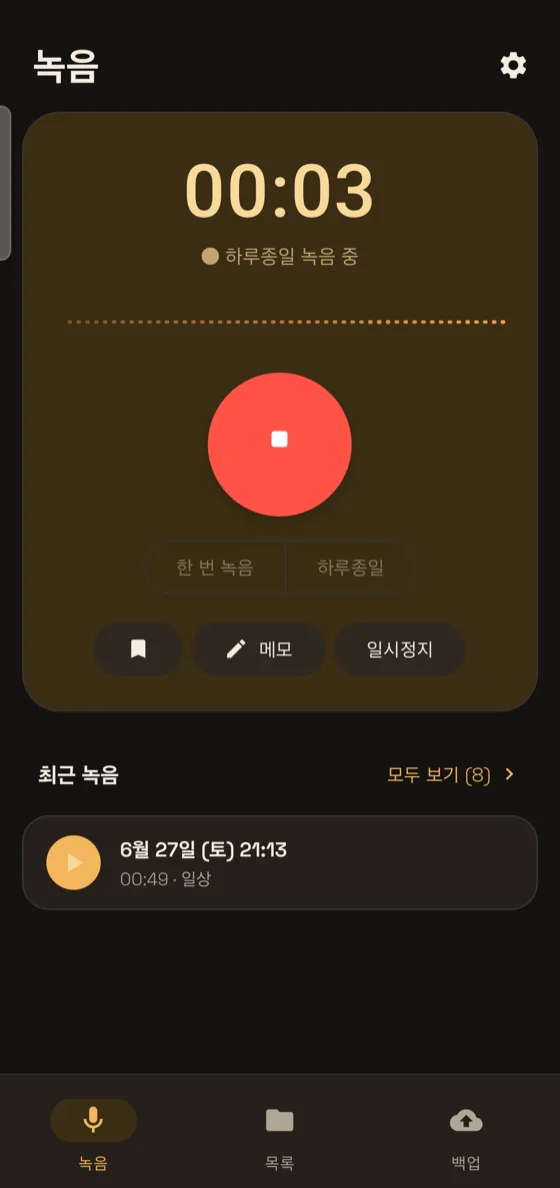
Turn on 'All-day' mode once and it keeps recording in the background for 24 hours straight. Long recordings are split and saved automatically every 30 minutes, and the sound shows up as a live waveform. So you never miss even a brief moment.

  • All-day continuous recording · auto split every 30 minutes
  • Keeps running in the background even with the screen off or app closed
  • One-tap record mode · live waveform · bookmarks
  • Auto-resume after reboot · quick tile / widget
Live waveform recording
📞 Auto-backup call recordings

Are your call recordings
actually being backed up?

Phone call recordings — most of them are never backed up automatically.

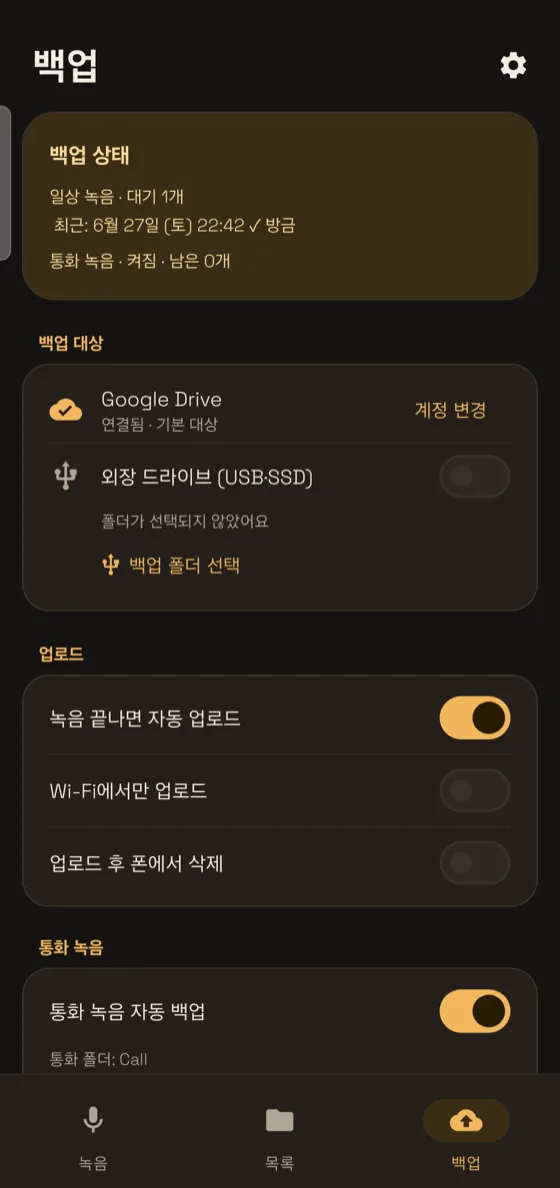
All those call recordings piling up on your phone vanish the moment you lose the device. VoiceCam lets you pick your call-recording folder directly and auto-backs up each new call to your own drive. No 'all files access' permission needed — only the folder you choose, kept safe.

  • Pick the call-recording folder → new calls back up automatically
  • Back up all your existing calls in one go too
  • Wi-Fi-only option · tidy up after upload
Call recording backup
🌙 Sleep analysis

While you sleep,
read the signals your body sends

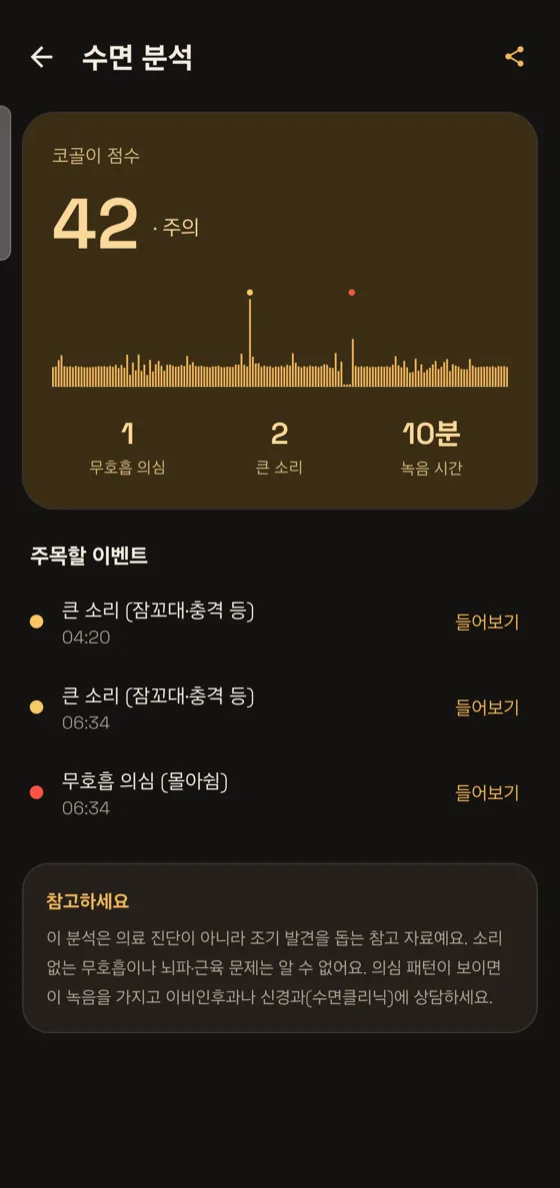
Record in sleep mode and VoiceCam analyzes the amplitude on-device to find your snoring score and suspected apnea segments. You can jump straight to any suspicious moment and listen from that point.

  • Snoring score · count of suspected apnea events
  • Overnight intensity timeline + event markers
  • Useful as reference for an ENT or sleep-clinic consultation
Sleep analysis report
🆘 Emergency SOS

In a critical moment,
it makes the call for you

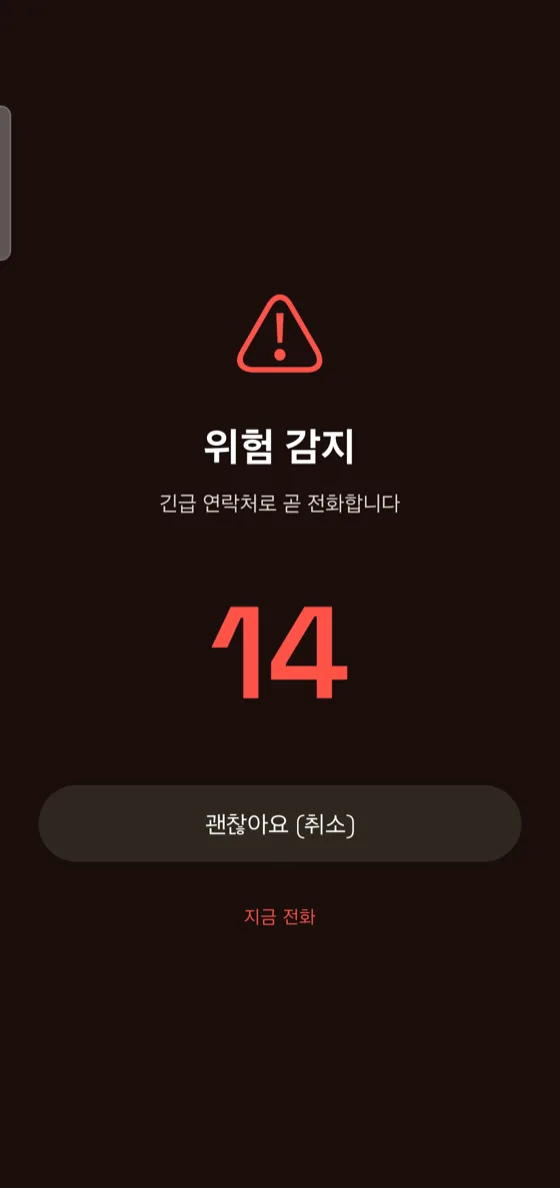
If a dangerous loud sound is detected during recording, a full-screen alert appears, and if you don't cancel it, VoiceCam automatically calls your chosen contact. Even on nights you sleep alone, even outdoors.

  • Detects shouting and danger sounds automatically (on-device)
  • Cancel countdown → automatic call
  • Set the sensitivity and contact yourself
Emergency SOS
🎧 Long recordings, made easy

Even an hour-long recording —
jump right to the part you want

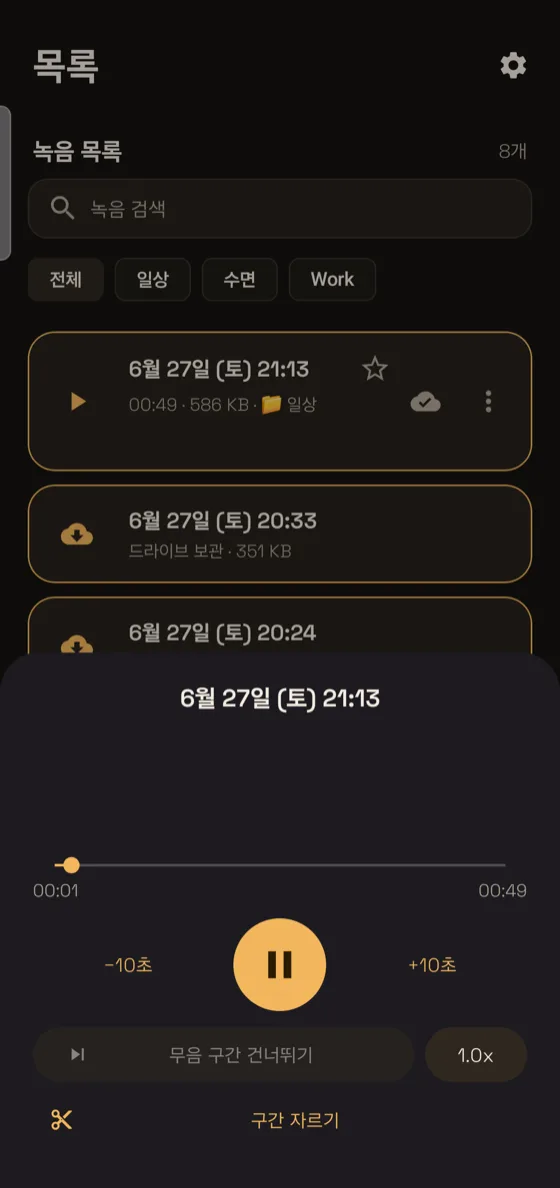
For long recordings, VoiceCam splits them into segments wherever the talking pauses and marks the important parts. Skip the quiet stretches as you listen, and group recordings by date so a single search later brings back that day's recording.

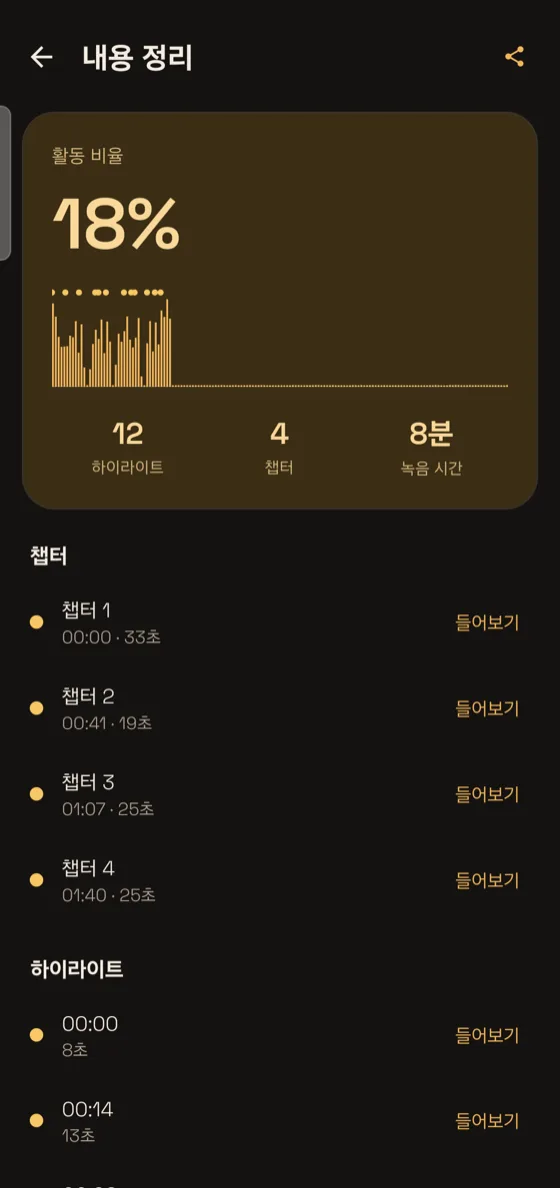
  • Auto-segments wherever the talking pauses
  • Auto-marks important parts · skip quiet stretches as you listen
  • Browse by date · notes · search
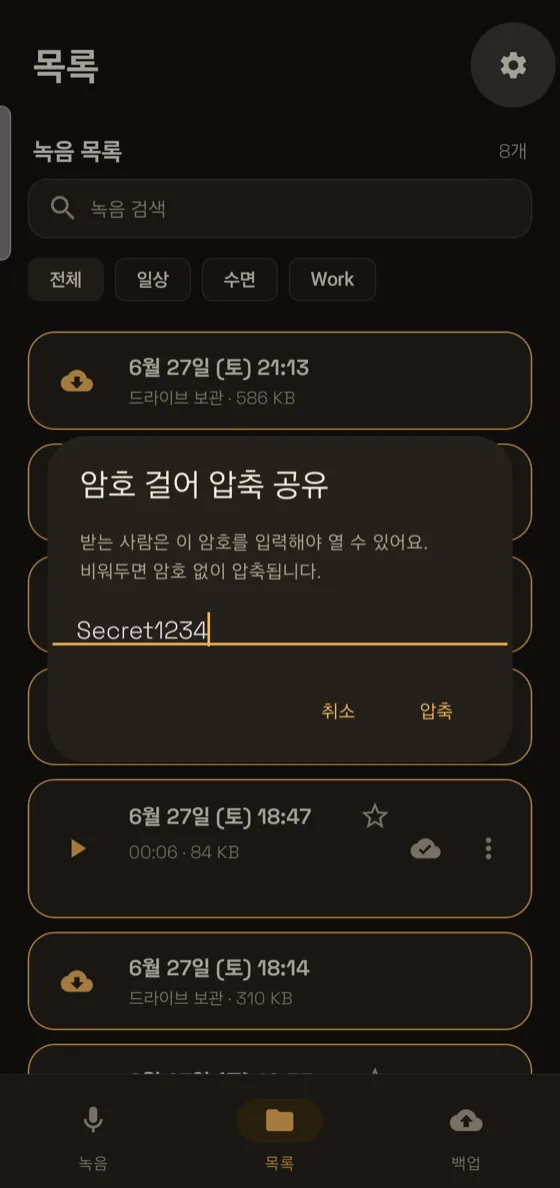
  • Add a password before sharing, kept safe
Long recording segmentation and marking
Real app screens
Screens that make you go "it does that too?"

Turning recordings into text, pulling out the essentials, answering when you ask — take a tour of what VoiceCam can do through real screens.

Recordings turned into text with summary and to-dos

Recordings into text, organized

Turn speech into text with summary and to-dos at a glance.

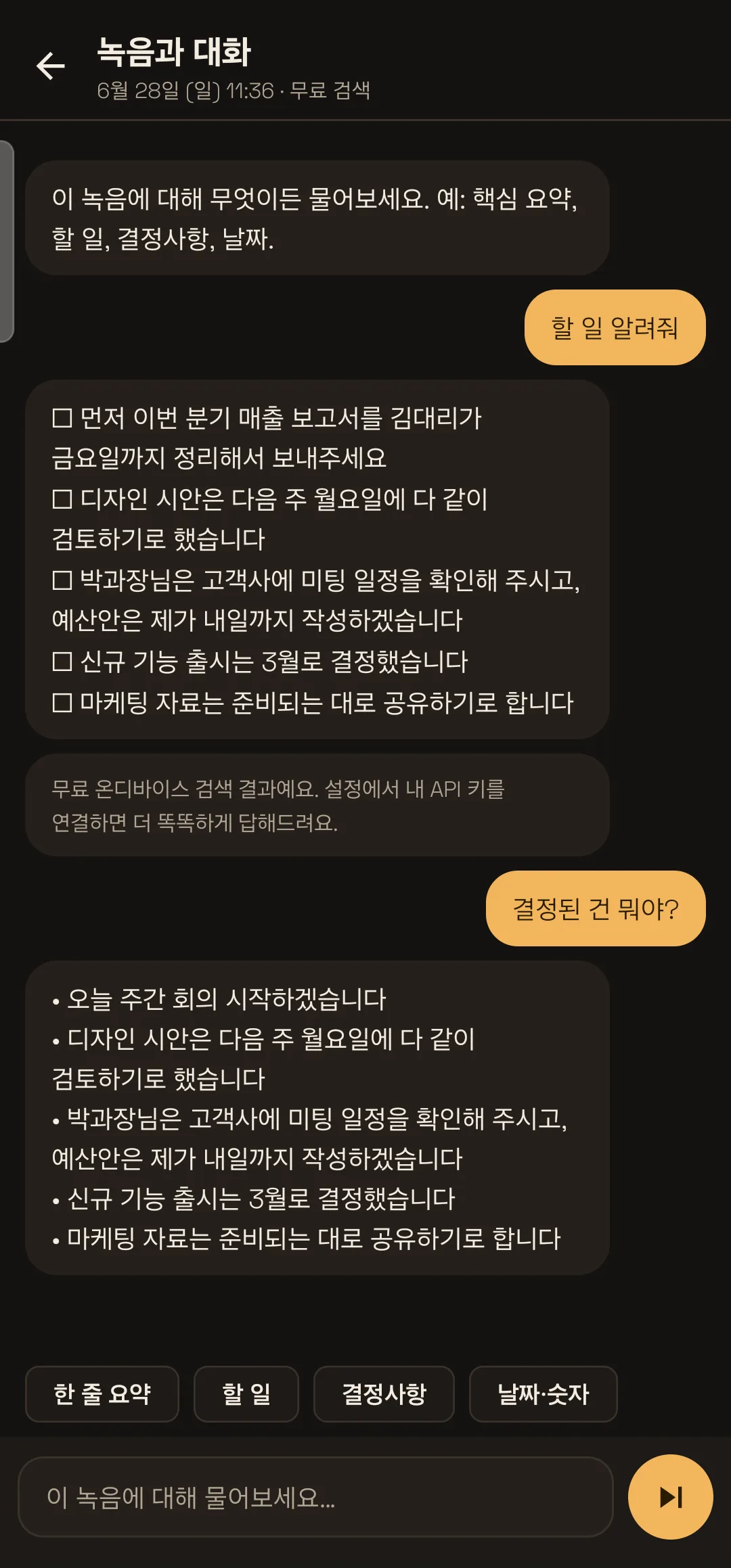
Ask this recording

Ask this recording

Ask "what were the to-dos?" and it finds the answer instantly.

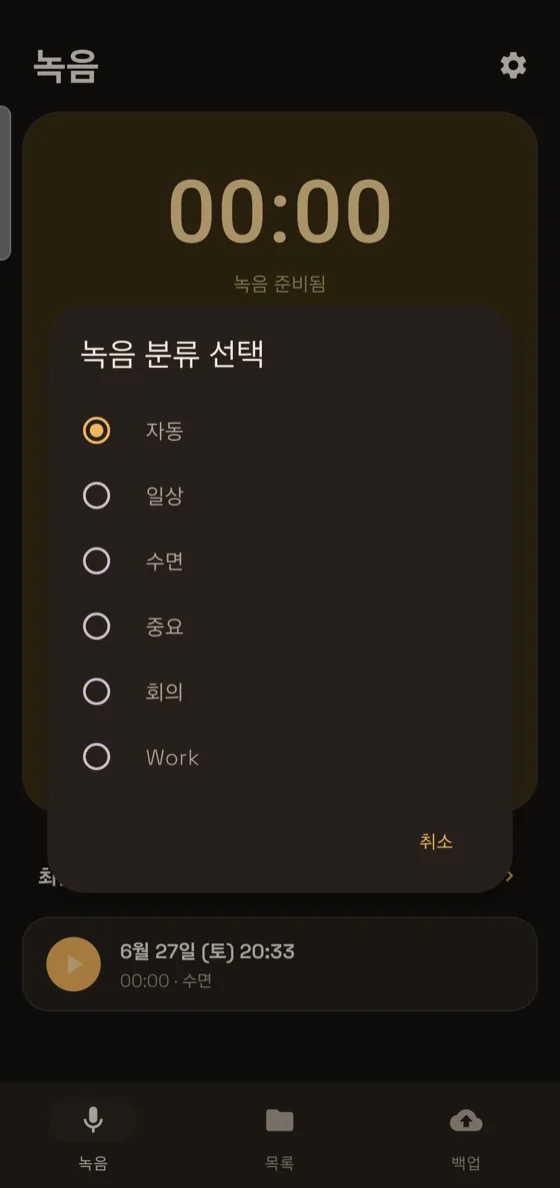
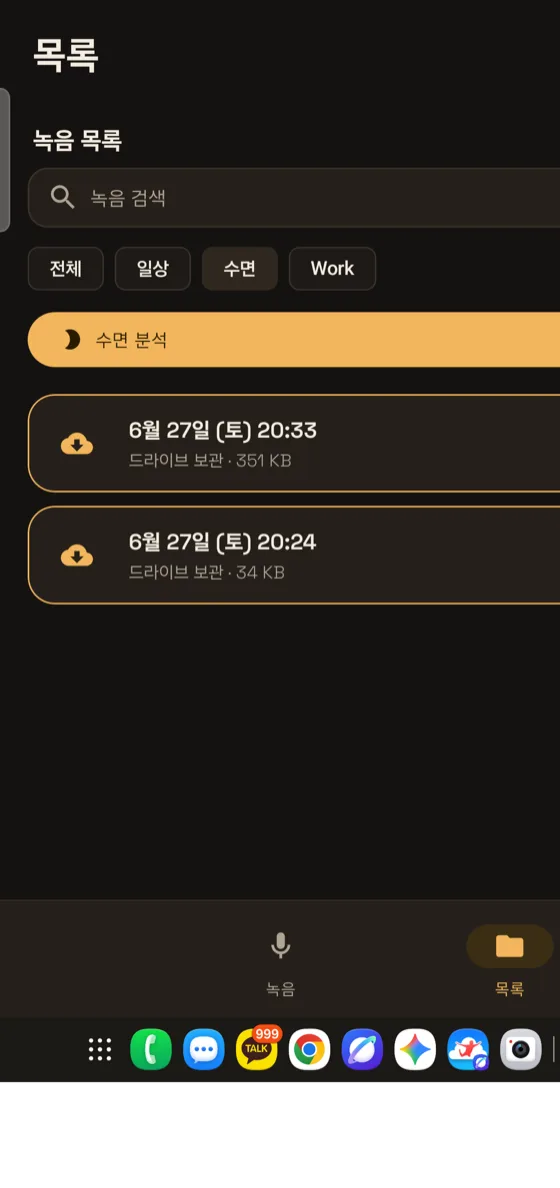
Automatic sorting

Sorted into folders for you

Everyday, sleep, important, and meeting recordings auto-sorted by time.

Key highlights

Just the essentials, even from long recordings

Record at length and it picks out only the important parts.

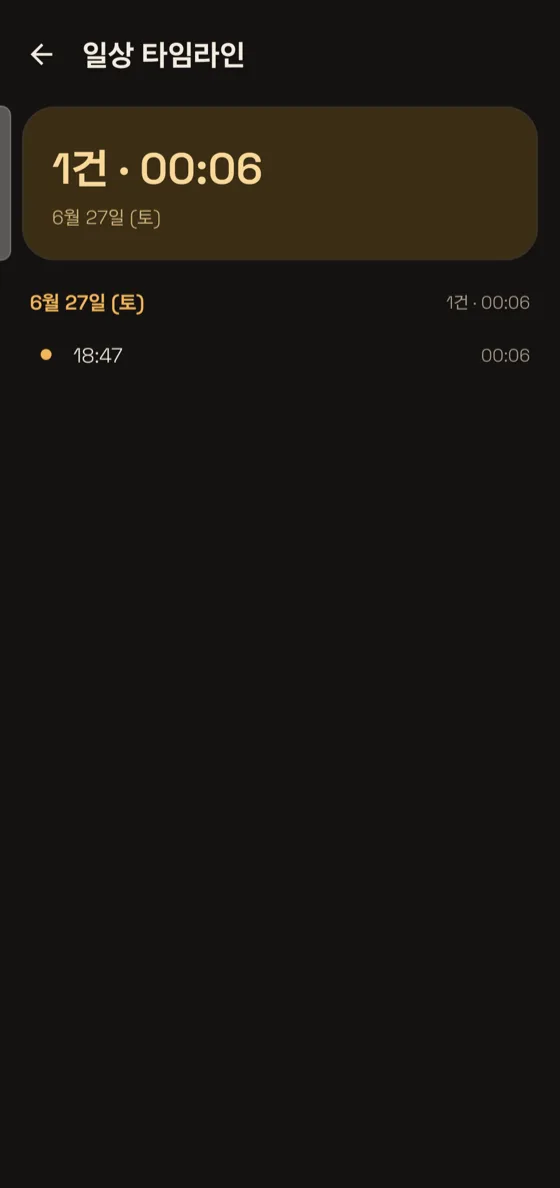
Browse by date

The day's record in one place

Recordings of the same kind grouped by date at a glance.

Smart playback

Save listening time

Faster playback · skip the quiet parts · mark what matters.

Share safely

Only the recipient can open it

Add a password before sending, kept safe.

Organize and search

Find the recording instantly

Search at once by folder, favorites, or notes.

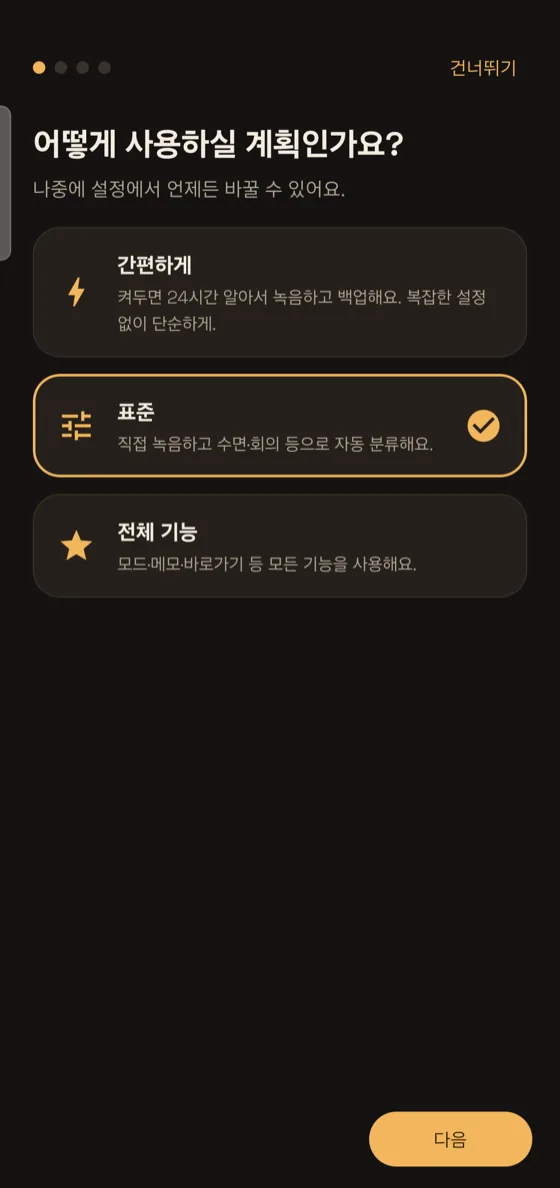
First-time setup

Start without the guesswork

Pick Simple, Standard, or Full — done in a minute.

Emergency help

It calls for you in an emergency

Detects a loud danger sound and auto-calls your chosen number.

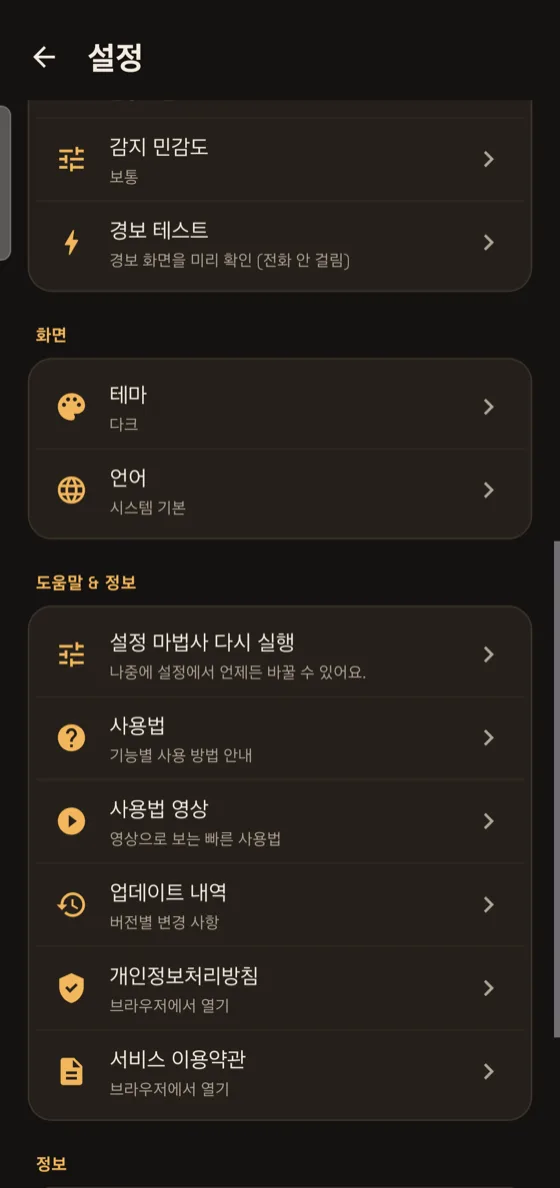
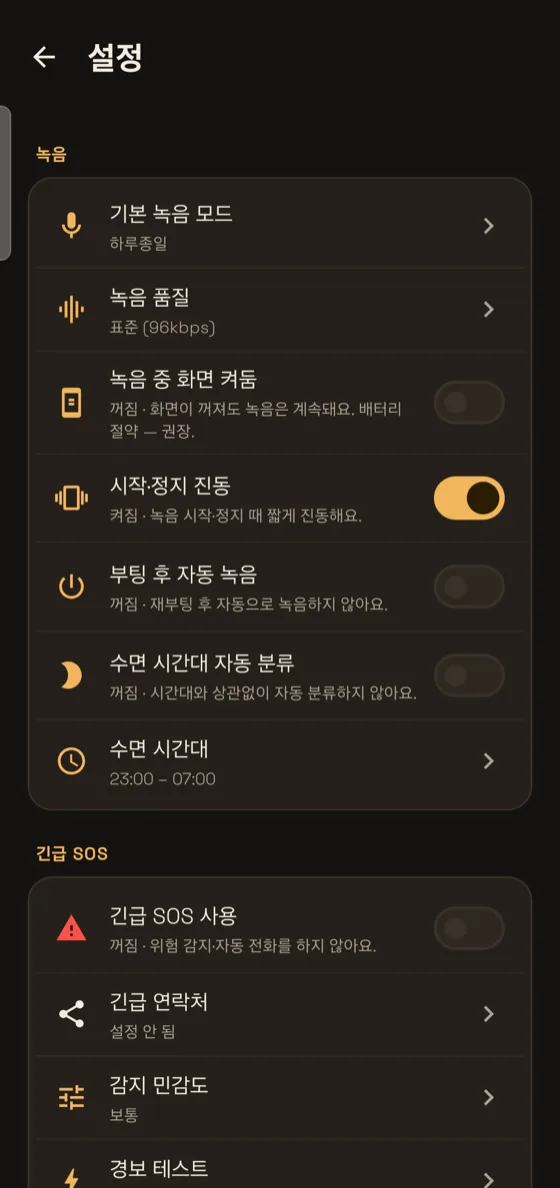
Helpful settings

See what each toggle changes

Every setting explains right there what turning it on does.

📖 How to use every feature — see the complete guide →
And more
All of this, with no extra payment

Buy once and it's all yours — today's features and the ones still to come.

🌙

Sleep, daily, and work insights

Analysis and notes tailored to each mode, all on-device.

App shortcuts

Long-press the icon to start a sleep, important, or everyday recording right away.

🧩

Widget · quick tile

Record in one tap from a home widget or a quick-settings tile.

☁️

Multiple backups

Google Drive · USB external storage · even call recordings.

🌐

7 languages

Fully localized in Korean, English, Spanish, Chinese, Japanese, French, and German.

🎬

Living how-to

An in-app guide with real screens in motion, easy for anyone.

Compare
Do you really need a dedicated AI recorder device?

A device that costs hundreds of dollars, plus a yearly subscription. VoiceCam does the same thing on the phone already in your hand, with a single one-time purchase.

VoiceCamDedicated AI recorder devicestandalone hardware
Buy a dedicated deviceNot needed · your phone~$180 and up
Monthly / yearly subscriptionNone · one-time purchase~$100–240 per year
Auto transcription · summary · to-dos
Where recordings are keptYour phone · your driveThe maker's cloud
Summary · processingOn the device (free)Sent to the cloud
Sleep analysis · Emergency SOS

※ The comparison figures are general information based on publicly available device prices and subscription fees for typical dedicated AI recorder devices, and are not intended to disparage any specific product. Actual prices may vary by product and over time.

Price
Once, for life — that's it

Instead of a subscription draining your account every month, just once. No ads, no hidden charges, no server costs.

No subscription · No ads
Subscription recording apps charge every month
One-time purchaseNo subscription draining your account every month — just once
Pricing will be announced at launch
  • AI Meeting Notes · auto transcription · summary · to-dos
  • All-day recording · sleep analysis · content notes
  • Auto-backup call recordings · Emergency SOS · password-protected sharing
  • Google Drive · USB external backup
  • Free future updates · no ads
  • No subscription · no developer servers
🔔 Get launch notification
Coming soon to Google Play · worry-free refund policy applies

🔒 Privacy is the default

VoiceCam does not send your recordings to developer servers. All analysis happens on your phone, and backups go only to your own account. From start to finish, you own your data.

0developer servers
100%on-device analysis
your accountbackup only

Start recording your day, tonight

The one recorder that records, analyzes, and protects.

▶ Find it on Google Play